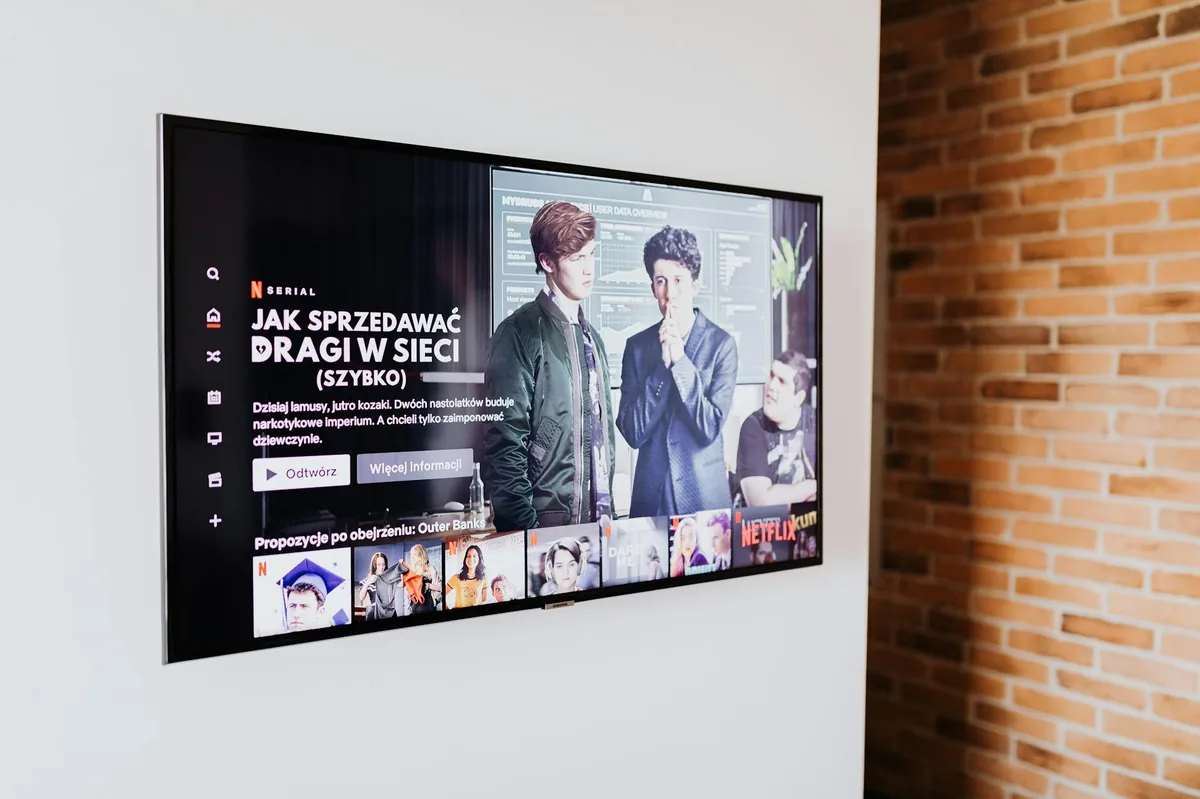
What Is IPTV?
IPTV stands for Internet Protocol Television — a method of delivering television content over the same internet infrastructure that carries your emails, web browsing, and video calls. Rather than receiving a broadcast signal via a rooftop aerial (as with Freeview), a satellite dish (as with Sky), or a coaxial cable (as with Virgin Media), IPTV streams video data directly to your device across your broadband connection.
The key distinction lies in how the data travels. Traditional DVB-T Freeview broadcasts a digital signal over the airwaves on specific radio frequencies — your aerial picks up this signal, and your TV or Freeview box decodes it. It is a one-to-many broadcast: the same signal goes to every aerial pointed in the right direction, regardless of whether anyone is watching. Satellite services like Sky work similarly, beaming a signal down from geostationary satellites, which your dish receives and your Sky Q or Sky+ box decodes. Cable providers like Virgin Media send television signals along coaxial or fibre cables laid underground, again as a broadcast to all connected homes.
IPTV, by contrast, sends only the content you have specifically requested over your personal broadband connection. When you press play on a live channel or on-demand programme, a stream of data packets travels from a content server to your device, reassembles, and plays back in real time. This is fundamentally the same mechanism as streaming YouTube or Netflix — IPTV simply applies it to live television and broadcast-style channel schedules.
This architecture gives IPTV several advantages: content can be personalised, catch-up and on-demand libraries are easily integrated, interactive features are straightforward to implement, and providers can serve subscribers anywhere an internet connection exists — including abroad, subject to geo-restrictions. It also means quality depends entirely on your broadband speed and network stability, rather than signal strength or aerial positioning.
How IPTV Works in Practice
Behind the scenes, most IPTV systems rely on a handful of core technical components that are worth understanding before you choose a service or troubleshoot problems.
M3U Playlists
M3U is a plain-text file format originally designed for audio playlists, but widely adopted by IPTV services as a way to list channel streams. An M3U file contains a series of stream URLs — one per channel — along with metadata such as the channel name, logo, and category group. When you load an M3U URL into an IPTV player app, the app reads that file and presents you with a channel list. Most IPTV services provide subscribers with a personalised M3U URL that can be entered into compatible apps on Fire Stick, Android devices, or smart TVs.
Electronic Programme Guide (EPG)
The EPG is the on-screen programme guide — the grid of channels and scheduled programmes that lets you see what is on now and what is coming up. Good EPG data makes a significant difference to the usability of an IPTV service. UK-focused services should provide an accurate EPG covering BBC One, ITV, Channel 4, Channel 5, and the major Sky and BT Sport channels, updated in real time and matching Greenwich Mean Time correctly.
Xtream Codes API
Many IPTV services now use the Xtream Codes panel as their back-end management system. Instead of an M3U URL, subscribers receive a server address, a username, and a password. Compatible apps — such as TiviMate, IPTV Smarters Pro, and GSE IPTV — connect directly to the Xtream Codes API, which provides the channel list, EPG data, and any video-on-demand libraries all in one authenticated session. This method is generally more robust than plain M3U and supports additional features like catch-up.
Buffering and Quality Factors
Buffering — the frustrating pause where playback freezes while data is fetched — is the most common complaint with IPTV. The causes are usually one of three things: insufficient broadband speed for the stream quality selected; server-side congestion at the IPTV provider's data centre (particularly during peak viewing times like Saturday afternoon football); or a poor Wi-Fi connection between your router and your viewing device. A wired Ethernet connection will almost always outperform Wi-Fi for IPTV reliability.
What You Need to Get Started
Broadband Speed
The minimum practical broadband speed for IPTV in the UK depends on the stream quality you want:
- Standard Definition (SD): 5 Mbps is usually sufficient, though 7–8 Mbps is more comfortable.
- High Definition (HD / 1080p): At least 10 Mbps dedicated to the stream. On a shared household connection, aim for 25 Mbps total.
- 4K Ultra HD: A minimum of 25 Mbps for the stream alone, meaning a 50–100 Mbps fibre connection is strongly recommended.
Most UK fibre broadband packages from BT, Sky, Virgin Media, and Openreach-based providers like Plusnet or EE deliver speeds well above these thresholds. If you are on an older ADSL copper connection with speeds below 15 Mbps, you may find 4K streaming impractical, but HD should be achievable.
Compatible Devices
One of the appealing aspects of IPTV is that it works on a wide range of devices you may already own:
- Amazon Fire Stick / Fire TV: The most popular choice in the UK for third-party IPTV apps. The Fire Stick 4K Max is particularly well-suited, offering smooth playback and easy sideloading of apps not listed in the Amazon Appstore.
- Android TV Boxes: Dedicated Android TV or Google TV boxes (such as the NVIDIA Shield or Chromecast with Google TV) offer excellent app compatibility and processing power.
- Smart TVs: Samsung Tizen TVs, LG webOS TVs, and Android TV-based sets from Sony and Philips all support IPTV applications, though the selection varies by manufacturer.
- iOS and Android Smartphones and Tablets: Apps such as GSE IPTV, IPTV Smarters Pro, and Flex IPTV are available for both platforms, ideal for mobile viewing.
- Windows and macOS PCs: VLC Media Player, Kodi, and dedicated IPTV applications handle M3U streams on desktop computers.
Our American readers looking for IPTV services frequently turn to iptv.us.com — though UK viewers will want a service with British channel packages that include the BBC, ITV, Channel 4, and Sky channels.
Legal IPTV in the UK
The legal landscape around IPTV in the UK is an important area for any new viewer to understand. The technology itself is entirely lawful — it is simply a delivery mechanism. What determines legality is whether the service holding and transmitting the content has the appropriate broadcast licences.
The following are fully licensed, legal IPTV services available to UK viewers:
- BBC iPlayer: The BBC's catch-up and live streaming service, free to access with a valid TV Licence. Covers all BBC channels including BBC One, BBC Two, BBC Three, BBC Four, CBBC, CBeebies, BBC News, and BBC Parliament.
- ITVX: ITV's streaming platform, offering free ad-supported access to ITV1, ITV2, ITV3, ITV4, and ITVX Originals, with a premium subscription tier for ad-free viewing and additional content.
- Channel 4 Streaming: Channel 4's free, ad-supported service covering Channel 4, E4, More4, and Film4 content.
- My5: Channel 5's streaming platform, providing free access to Channel 5, 5Star, 5USA, and 5Select programming.
- Sky Glass and Sky Stream: Sky's internet-delivered television service, eliminating the need for a satellite dish entirely. Sky Glass is an all-in-one smart TV; Sky Stream is a plug-in puck device. Both deliver Sky's full channel portfolio via broadband.
- Now TV (Now): Sky's flexible streaming service, available as monthly passes for Sky Cinema, Sky Sports, Sky Entertainment, and Hayu — no long-term contract required.
- BT Sport / TNT Sports: BT's premium sports streaming is available via the discovery+ app and BT TV, with UEFA Champions League, Premier League, and Premiership Rugby coverage.
It is worth noting that any IPTV service charging a subscription to deliver channels it does not hold the licence for — particularly live Sky Sports, BT Sport, or premium film channels — is operating illegally under UK copyright law. The Federation Against Copyright Theft (FACT) and the Police Intellectual Property Crime Unit (PIPCU) actively investigate and prosecute providers and, in some cases, persistent users of such services.
Choosing an IPTV Service
If you are considering a paid subscription IPTV service beyond the free-to-air UK platforms, there are several factors that distinguish a reliable service from a poor one.
Trial Periods
Any reputable service should offer a short free trial or a low-cost trial period — typically 24 to 48 hours — before committing to a monthly or annual subscription. This allows you to test channel availability, stream stability, and EPG accuracy on your specific device and broadband connection. Be wary of services that refuse trials or demand full payment upfront for long subscription periods.
UK Channel Line-Up
For British viewers, the channel list should comprehensively cover the major UK terrestrial channels (BBC One, BBC Two, ITV, Channel 4, Channel 5 and their respective +1 and regional variants), the main Sky entertainment and sports channels, BT Sport, and ideally international channels for British Asian, Afro-Caribbean, Polish, and other diaspora communities well represented in the UK.
EPG Quality
A reliable and accurate EPG is a strong indicator of a professionally run service. Check that programme titles, descriptions, and timings match what is actually broadcast. Poor EPG data — blank grids, incorrect timings, or mismatched channel names — usually signals a cheaply assembled service with poor infrastructure.
Customer Support
Consider how a service handles technical problems. Is there a support team available via live chat, email, or a ticketing system? Are there active community forums or a knowledge base? During major sporting events — the Premier League, Six Nations, or Wimbledon — demand spikes dramatically, and a service without a responsive support team will leave you frustrated when buffering starts.
Simultaneous Connections
If multiple members of your household want to watch different channels at the same time, check how many simultaneous connections a subscription permits. Single-connection subscriptions are frustrating for families; look for services offering two or more concurrent streams.
Getting Set Up: Step by Step
Once you have chosen a service and received your M3U URL or Xtream Codes credentials, getting started is straightforward. Here is the typical process for setting up IPTV on an Amazon Fire Stick — the most common setup in UK homes.
-
Install a compatible IPTV player app
On your Fire Stick, open the Amazon Appstore and search for an IPTV application. TiviMate, IPTV Smarters Pro, and GSE IPTV are popular choices that support both M3U playlists and Xtream Codes. Some apps are free; others have a one-off purchase price or a small annual subscription of their own.
-
Enter your subscription credentials
Open the IPTV player and navigate to its playlist or account settings. Enter the M3U URL your provider gave you, or input your Xtream Codes server address, username, and password. The app will connect to the service and download your channel list and EPG data — this may take a minute or two on first load.
-
Configure your EPG source
If your app does not automatically load EPG data, you may need to enter a separate XMLTV EPG URL provided by your service. A correctly configured EPG transforms the app from a plain channel list into a proper interactive programme guide with scheduling information.
-
Organise your channel list
Most IPTV players allow you to create a favourites list, hide channels you do not want, and reorder groups. Take a few minutes to add your most-watched channels — BBC One, ITV, Sky Atlantic, and so on — to a favourites group for quick access without scrolling through hundreds of international channels.
-
Test and optimise your connection
Play a live HD channel and observe whether playback is smooth. If you experience buffering, try switching from Wi-Fi to a wired Ethernet connection using an Amazon Ethernet Adapter for Fire TV. Also check whether your router's Quality of Service (QoS) settings can prioritise your Fire Stick's traffic during peak usage times in your household.
Common Beginner Mistakes
Most problems that new IPTV viewers encounter are predictable and avoidable. Here are the mistakes most frequently made by beginners in the UK.
Choosing the Cheapest Service Available
It is tempting to pick the IPTV service with the lowest monthly price, particularly when multiple providers appear to offer the same channels. However, rock-bottom pricing usually indicates underpowered server infrastructure, minimal customer support, and channels that disappear or buffer constantly during busy periods. A mid-range service with a solid reputation and genuine UK customer support is almost always better value than the cheapest option.
Relying Solely on Wi-Fi
Wi-Fi signal strength varies enormously across a typical UK home, and interference from neighbouring networks, walls, and household appliances can cause intermittent packet loss that manifests as stuttering or buffering. For reliable IPTV, a wired Ethernet connection is significantly more dependable. If running a cable is not practical, consider a powerline adapter kit or a Wi-Fi mesh system with a dedicated backhaul channel.
Not Checking Broadband Speed First
Before subscribing to any IPTV service, run a broadband speed test (speedtest.net or the Ofcom Home Broadband Performance tool) and note your actual download speed, not just the advertised headline rate. If your measured speed during typical evening hours falls below 15 Mbps, HD IPTV may be inconsistent, and you should raise this with your broadband provider before blaming the IPTV service.
Using an Incompatible App
Not every IPTV app works equally well on every device. Some apps that run smoothly on Android are slow or crash-prone on Fire OS. Check community forums and reviews specific to your device before committing to an app. The IPTV community on Reddit (r/IPTV) is a useful resource for device-specific recommendations.
Frequently Asked Questions
US readers looking for a provider recommendation can check out IPTV US's free trial guide — the UK setup process is similar regardless of provider.
No, most smart TVs, Fire Sticks, Android boxes, and phones support IPTV apps. You do not need any proprietary hardware — if your device can connect to the internet and run apps, it can almost certainly run an IPTV application. The Amazon Fire Stick 4K is widely regarded as the best value dedicated device for UK IPTV users.
At least 10 Mbps for HD streams, 25 Mbps for 4K. BT, Sky, and Virgin fibre connections handle this easily. A wired Ethernet connection is always preferable to Wi-Fi for stability, particularly during high-demand periods such as weekend evenings or live sporting events.
Yes — BBC iPlayer, ITVX, Channel 4, and My5 are free, legal, and BBC licence-fee-funded alternatives. These services offer thousands of hours of on-demand content alongside live channel streams at no additional cost beyond your broadband subscription (a TV Licence is required to watch live BBC content).
Sky Q uses its own closed ecosystem, but you can access BBC iPlayer and ITVX via built-in apps on newer Sky Q boxes. Third-party IPTV apps are not natively supported on Sky Q hardware. If you want flexible IPTV access, a separate Fire Stick or Android TV device connected to the same television is the most straightforward solution.